Members Alert to prevent WA Cyber hack. https://www.kaspersky.com/blog/whatsapp-account-hacked/53069/
Message from our ALumni Member Mr.M:
Dear Sir,
I can not login into my WhatsApp now, looks like the impersonator transferred my WhatsApp profile (may be more…) to a
Samsung Galaxy 10.
I am hoping he/show will have all data from my phone now. Not sure what damage it will cause. For now I deleted the
WhatsApp app itself, since as soon as I open the app, it starts some data transmission.
I took one screen shot of the conversation when he/she sent me a code, here it is. This is all the chat history I have now.
Basically, as shown, this person was trying to create an Alumni whatsapp group and trying to add me to that group securely, by
sending me a code (shown below). As soon as I sent the code, another screen popped to “allow” the transfer of whatspp information
to the Samsung galaxy 10+, I asked him (out of trust) about it, and he said don’t worry, then I pressed “allow”, then I lost control
of whatsapp and my phone got deregistered from whatsapp.
Let’s all of us be careful
Let it be any one… Let’s not reveal or take any activity that can impact our Profile or Database
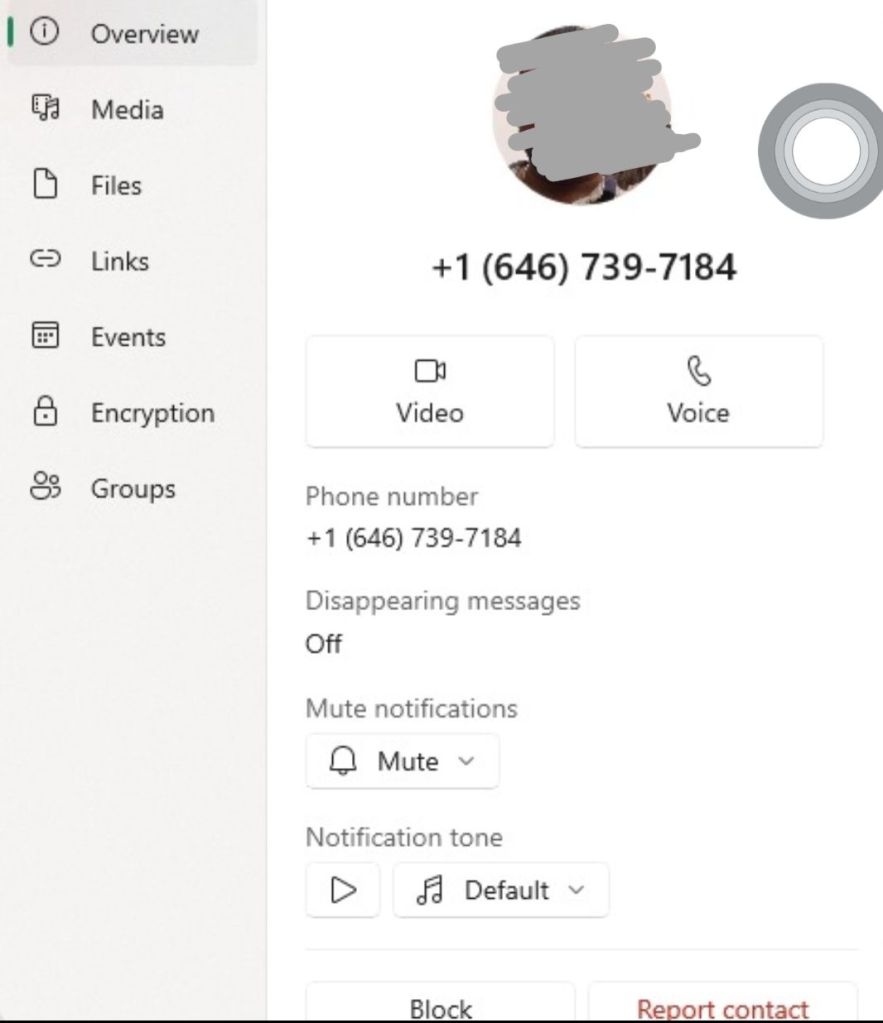
A call from an unknown international phone number (from countries like USA, Iran, Oman, etc.) can easily empty your bank a/c or steal your social media accounts. There’s a highly sophisticated racket behind these calls, trying to lure people with fake job offers, lottery money, or a gift. Simultaneously they steal your personal and banking details to take over your bank a/c or social media accounts.
Immediately block any suspicious int’l number (beginning with a prefix other than +91) and never return calls from unknown foreign contacts.
Scammers initiate brief calls that disconnect before victims can answer, leaving a missed call notification. When curious victims call back these int’l numbers, they’re connected to premium rate services that charge exorbitant fees, often several hundred rupees per minute.
indianexpress.com/article/technology/techook/calls-from-unknown-international-number-scams-9762753/
http://www.communicationstoday.co.in/jio-warns-mobile-users-of-international-call-scam-threat/
To prevent cyber scams on your phone:
General Precautions
- Keep software up-to-date: Regularly update your phone’s operating system, browser, and apps. ([1] Indian Computer Emergency Response Team)
- Use strong passwords: Choose unique, complex passwords for all accounts. ([2] National Cyber Security Alliance)
- Enable two-factor authentication (2FA): Add an extra layer of security to your accounts. ([3] Cybersecurity and Infrastructure Security Agency)
Safety Measures
- Be cautious with links and attachments: Avoid suspicious links and attachments from unknown sources. ([4] Federal Trade Commission)
- Verify caller IDs: Be wary of calls from unknown numbers or numbers that appear to be from reputable organizations but are actually spoofed. ([5] Federal Communications Commission)
- Monitor app permissions: Regularly review the permissions granted to your apps. ([6] Google Play Support)
Security Features
- Use a reputable antivirus app: Install and regularly update an antivirus app. ([7] AV-Test Institute)
- Enable firewall protection: Turn on the firewall to block unauthorized access. ([8] Microsoft Support)
- Use a VPN: Consider using a virtual private network (VPN) for secure browsing. ([9] PCMag)
Scam-Specific Precautions
- Be wary of phishing scams: Watch out for messages that ask for personal or financial information. ([10] Anti-Phishing Working Group)
- Avoid fake apps: Be cautious when downloading apps, and only use reputable app stores. ([11] Apple Support)
- Don’t respond to suspicious messages: Ignore messages that ask for personal or financial information or urge you to take immediate action. ([12] Federal Trade Commission)
Additional Tips
- Regularly back up your data: Protect your important data by backing it up regularly. ([13] Android Authority)
- Use a secure lock screen: Protect your phone with a secure lock screen, such as a PIN, pattern, or fingerprint lock. ([14] Samsung Support)
- Report suspicious activity: Inform your bank, service provider, or relevant authorities if you suspect any suspicious activity. ([15] Indian Cyber Crime Coordination Centre)
References:
[1] Indian Computer Emergency Response Team. (n.d.). Best Practices for Smartphone Security.
[2] National Cyber Security Alliance. (n.d.). Passwords & Authentication.
[3] Cybersecurity and Infrastructure Security Agency. (n.d.). Multi-Factor Authentication.
[4] Federal Trade Commission. (n.d.). How to Recognize and Avoid Phishing Scams.
[5] Federal Communications Commission. (n.d.). Spoofing and Caller ID.
[6] Google Play Support. (n.d.). App permissions.
[7] AV-Test Institute. (n.d.). Antivirus Software for Android.
[8] Microsoft Support. (n.d.). Windows Defender Firewall.
[9] PCMag. (n.d.). The Best VPN Services.
[10] Anti-Phishing Working Group. (n.d.). Phishing.
[11] Apple Support. (n.d.). Avoiding fake apps.
[12] Federal Trade Commission. (n.d.). How to Recognize and Avoid Scams.
[13] Android Authority. (n.d.). How to back up your Android device.
[14] Samsung Support. (n.d.). Lock screen options.
[15] Indian Cyber Crime Coordination Centre. (n.d.). Report Cyber Crime.
 GRP_VCare2Dare